


NEWS
Teacher Filtering Controls: How Teachers Can Unblock Websites During Class
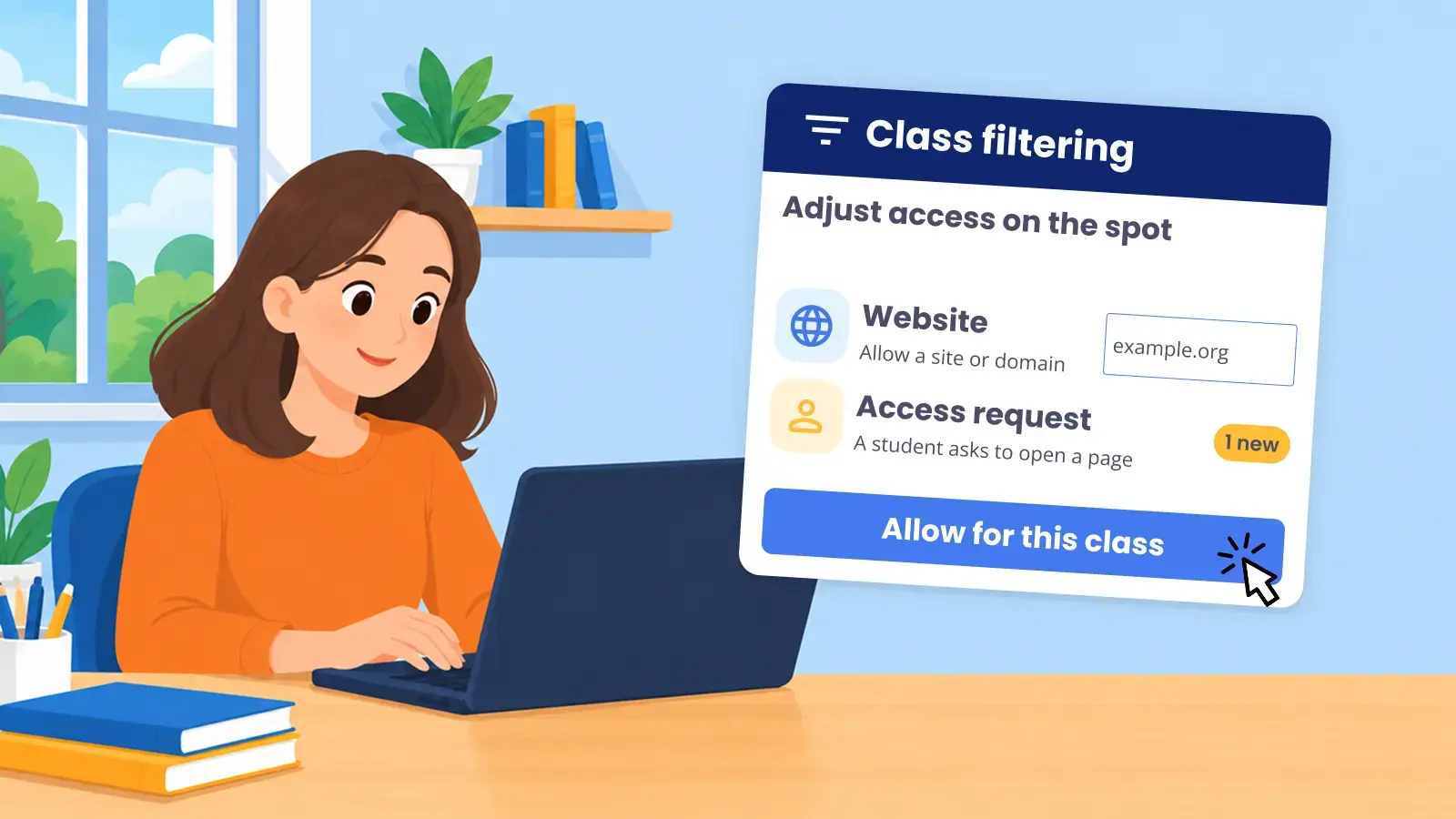
Teacher filtering controls let teachers unblock websites for their class during a lesson, within limits the district sets. When class ends, the district’s filtering applies again.
Without them, every blocked resource becomes an IT ticket. The teacher waits, IT drops what it’s doing, and by the time the site opens, the lesson has moved on. Teachers need flexibility in the moment. IT needs a filter that stays consistent. Here’s how Blocksi handles both.
How do teacher filtering controls work in Blocksi?
Teachers adjust filtering from the Teacher Dashboard in two ways: their Block/Allow List and the class policy. Both apply only while the teacher’s class session is active.
Block or allow specific sites. A teacher adds a URL to the Block/Allow List and students can open it right away. Teachers can open a whole domain or just one page, such as a single article on a news site.
Switch the class policy. Admins build policies for different needs, such as a research policy or a science lab policy, and share them with teachers. During an active class, the policy the teacher picks takes priority over the district policy.
Choose who it applies to. A policy can apply to the whole class, a student group, or one student. A list can be saved and reused, or carried over to the next session.
It reverts on its own. Outside the teacher’s class session, students return to the policy their district has set. Nobody has to undo anything.
What happens when a student hits a blocked page?
When a student needs a page that’s blocked, the request doesn’t have to land on IT’s desk. The student sends an Access Request, and it goes straight to the teacher.
The teacher reviews each request in the Teacher Dashboard. They can open the page to check its content first, then allow or deny it. An allowed page is added to the teacher’s Allowed URLs for that class session.
Admins decide whether teachers can receive Access Requests. When the feature is off, students don’t see the request button.
Here are more ways classroom management helps K-12 educators in modern classrooms.
What teacher filtering controls are available during class?
From the Block/Allow List, teachers can:
- Save, load, and import lists from a .csv file, to reuse a setup across classes or semesters
- Block or allow a whole domain, or a single URL
- Show embedded content, such as YouTube videos, on the sites they allow
- Turn off image blurring on the sites they allow
Teachers find these controls easy to use. As Tara Poolson, Technology Integration Specialist at Pearl River County School District, put it, teachers “love how easy it is for them to create their Block and Allow lists.”
Through the class policy, teachers apply settings their admin has already built. A policy can cover 85+ web categories, specific sites, keywords, apps, YouTube categories and channels, SafeSearch, and image blurring. The teacher picks the policy. The admin decides what’s in it.
How does IT keep control?
Teacher filtering controls only work if IT trusts them. Blocksi keeps the district in charge of what teachers can open.
- Admins choose the policies. Teachers select only from policies their admin has built and shared with them.
- Key settings can be locked. Admins can lock specific URLs and whole web categories as blocked or allowed, for example to keep open a URL an app needs to work. Teachers can’t add a locked URL, or a site in a locked category, to their Block/Allow List.
- Access Requests are opt-in. Admins decide whether students can send requests to teachers at all.
- No admin access for teachers. Teachers work in the Teacher Dashboard and can’t change district filter settings.
- Limits on when and whom. Admins can set teacher schedules, limit monitoring to in-school students, cap class length, and restrict teachers to students in their assigned OUs. A Penalty Box policy that an admin has locked can’t be changed by a teacher.
Why does it matter that filtering and classroom management share one platform?
When you evaluate a K-12 content filter with teacher control, check whether the filter and the classroom tool work as one. In Blocksi, they share a single policy system. The class policy and the district policy are part of the same hierarchy, managed in one place. There’s nothing to sync between two vendors, and nothing for IT to reconcile after class.
This also matters when a district changes filters. Teachers keep the in-class controls they rely on, in the same dashboard they use to run class.
Teacher filtering controls at a glance
- Teacher filtering controls let teachers temporarily unblock websites for a class, without an IT ticket.
- Teachers block or allow sites from their Block/Allow List and switch between admin-shared policies, for the class, a group, or one student.
- With Access Requests, students ask the teacher for a blocked page, and the teacher approves it from class.
- Admins decide which policies teachers can use and lock the settings that must stay as they are. Outside class, the district policy applies.
Want to see how it works in your district?
FAQ
What are teacher filtering controls? They let a teacher adjust web filtering for their class during a lesson. In Blocksi, teachers use their Block/Allow List and admin-shared class policies, which take priority over the district policy while class is active.
How can teachers unblock websites during class? By adding the site to their Block/Allow List, by switching to a class policy that allows it, or by approving a student’s Access Request. URLs and categories the admin has locked stay blocked or allowed, as the admin set them.
Do teacher filtering controls change the district’s filter settings? No. The district policy stays as set. Outside the teacher’s class session, students return to it.
Can a teacher change filtering for one student only? Yes. A class policy can apply to the whole class, a student group, or one student.
Can students ask to unblock a site? Yes, if the admin has enabled Access Requests. The student sends a request from the blocked page, and the teacher allows or denies it from class.
More to Explore

Follow Our Social Media Channels


