Filter Bypass Prevention

AI Context Filtering & Smart Proxy Detection
Most content filters only block what they’ve already seen. New URLs, proxy sites, and harmful content on permitted domains slip through by default. Blocksi’s AI Context Filter and Smart Proxy Detection are built to catch what traditional filtering misses.
Stay ahead of student bypass attempts. Filter by page content, not just domain.
Students Don’t Wait for Your Filter to Catch Up
Static blocklists and category databases can’t keep up with the speed of the internet. These aren’t edge cases — they’re the two most common ways students get around school content filters today.
Harmful content on allowed domains A page on a permitted site can contain content that violates policy, but a traditional filter only sees the domain, not what’s actually on the page. Social media platforms, forums, and content aggregators all fall into this gap.
New proxy and VPN bypass tools Freshly created proxy sites can take up to two days to be categorized. During that window, students can use them freely — and by the time your filter catches up, they’ve already moved on to the next one.
Real-Time Classification. Instant Bypass Detection
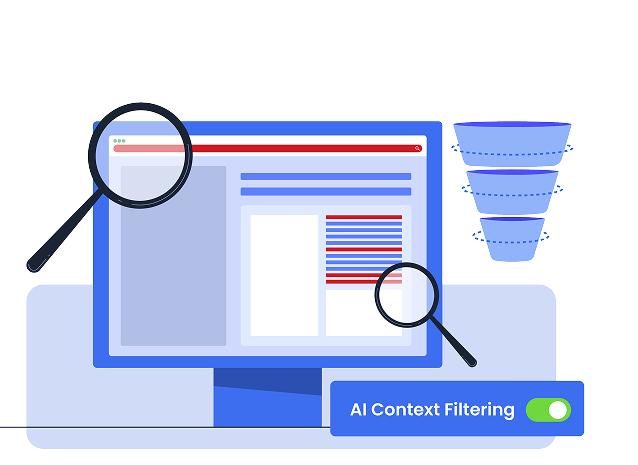
• AI Context Filter
Blocksi’s AI Context Filter doesn’t stop at what the traditional web filter decides. It analyzes the actual content of every page the traditional filter allows through — and applies your filtering policy based on what’s actually there.
Key facts:
Processes approximately 500,000 classification requests per day
Runs via the Blocksi Chrome Extension on student devices
Catches harmful content on any page the traditional filter allows through — including pages on permitted domains
For previously visited URLs, filtering is instant — results returned in milliseconds
Supports Allow, Block, or Warn actions per category
• Smart Proxy Detection
Smart Proxy Detection identifies and blocks websites that exhibit proxy or VPN behavior — even before they’ve been officially categorized. It closes the gap between when a new proxy site is created and when it gets officially rated.
When enabled, it detects web-based VPNs, tunneling pages, and traffic-hiding or redirection behavior, and flags those sites as Proxy Avoidance — applying your existing blocking policy immediately. It operates as a simple toggle within the Web Filter in the Blocksi Admin Dashboard.
Part of a Broader Filtering Architecture
AI Context Filtering and Smart Proxy Detection are two layers within Blocksi’s multi-layered hybrid filtering platform — combining DNS filtering, OS-level agent filtering, appliance-based network coverage, granular YouTube controls, and AI-powered content classification in one system. Each layer covers what the one before it can’t.
With vs. Without Smart Proxy Detection
Scenario
Student visits new proxy site (created yesterday)
Student uses VPN-based browser tool
Without Smart
Proxy Detection
Not yet rated → accessible for up to 2 days
May not be categorized yet → accessible
With Smart
Proxy Detection
Proxy behavior detected → blocked immediately
Traffic-hiding behavior flagged → blocked
What The AI Context Filter Catches
That Traditional Filters Miss
Scenario
Student visits newly registered harmful site
Student accesses harmful page on allowed domain
Traditional Filter
Not in database → loads
Domain allowed → loads
Blocksi AI
Context Filter
Content analyzed → blocked
Page content evaluated → blocked
Stronger Filtering, Less Maintenance
Together, Blocksi’s AI Context Filter and Smart Proxy Detection go beyond what traditional domain-based filtering can see — evaluating page content in real time and blocking proxy bypass attempts before they’re even categorized.
Neither feature requires manual updates or admin intervention to stay current — they work in the background within your existing Blocksi setup.
Districts switching from traditional category filters to Blocksi consistently cite two reasons: coverage on permitted domains they didn’t know was missing, and proxy bypass attempts that were getting through undetected.
Book a free demo and see how Blocksi catches what your current filter misses.

I've been using Blocksi for about 3 years now, and it has been a game changer for our school. We love the analytics and the ability to easily block inappropriate content, making sure students only access safe online content. It empowers teachers to take control of their classrooms — managing what students need to see during class time and eliminating distractions. Thank you, Blocksi. You've changed our life and work.
Blocksi's customer service has been amazing — always ready to help no matter what. Blocksi is much better at finding and blocking new sites than our old solution.
Five years in, Blocksi remains the best Chromebook filtering solution we've found. What we like best is the Google Workspace integration, YouTube filtering, and automated safeguarding alerts. Deployed via Google Admin Console as a force-installed extension — students can't remove it from the device or their account — so filtering is always enforced without relying on students leaving it in place. Blocksi keeps students safe online across a 1:1 Chromebook deployment, with safeguarding visibility that meets our statutory obligations.
For us, the cost-to-feature ratio strikes a perfect balance. Blocksi addresses the need for student internet filtering on Chromebooks, while giving teachers insights into browsing history and the ability to monitor and manage student devices during class.
Blocksi's Chromebook integration is awesome — it makes deploying to our Chrome fleet straightforward. We've had issues with content filtering and student safety monitoring, and Blocksi handles both very well.
I've been using Blocksi for about 3 years now, and it has been a game changer for our school. We love the analytics and the ability to easily block inappropriate content, making sure students only access safe online content. It empowers teachers to take control of their classrooms — managing what students need to see during class time and eliminating distractions. Thank you, Blocksi. You've changed our life and work.
Blocksi's customer service has been amazing — always ready to help no matter what. Blocksi is much better at finding and blocking new sites than our old solution.
Five years in, Blocksi remains the best Chromebook filtering solution we've found. What we like best is the Google Workspace integration, YouTube filtering, and automated safeguarding alerts. Deployed via Google Admin Console as a force-installed extension — students can't remove it from the device or their account — so filtering is always enforced without relying on students leaving it in place. Blocksi keeps students safe online across a 1:1 Chromebook deployment, with safeguarding visibility that meets our statutory obligations.
For us, the cost-to-feature ratio strikes a perfect balance. Blocksi addresses the need for student internet filtering on Chromebooks, while giving teachers insights into browsing history and the ability to monitor and manage student devices during class.
Blocksi's Chromebook integration is awesome — it makes deploying to our Chrome fleet straightforward. We've had issues with content filtering and student safety monitoring, and Blocksi handles both very well.
About Us
Blocksi is devoted to establishing a secure environment for K-12 students by proactively shielding them from harmful content, regardless of whether they are inside or outside school districts.
More about us →
About Us
Blocksi is devoted to establishing a secure environment for K-12 students by proactively shielding them from harmful content, regardless of whether they are inside or outside school districts.
More about us →
FAQ
How do AI Context Filtering and Smart Proxy Detection fit into Blocksi’s broader filtering?
They’re two layers within Blocksi’s multi-layered hybrid filtering architecture, which combines DNS filtering, OS-level agent filtering, on-premise appliance coverage, and granular content controls. AI Context Filtering and Smart Proxy Detection specifically target two weaknesses in traditional category-based filtering — harmful content on permitted domains, and bypass attempts that haven’t been categorized yet.
What is AI Context Filtering in school content filters?
Blocksi’s AI Context Filter analyzes the content of every page the traditional web filter allows through — not just uncategorized ones. Even a page on a permitted domain gets evaluated in real time, so harmful content on an allowed site doesn’t slip through.
What is Smart Proxy Detection?
Smart Proxy Detection identifies websites that behave like proxies or VPNs — even before they’ve been officially categorized. It closes the gap between when a new bypass tool is created and when it gets rated, applying your blocking policy immediately.
Do these features require manual updates?
No. Both AI Context Filtering and Smart Proxy Detection work automatically in the background within your existing Blocksi setup. No manual blocklist updates or admin intervention required.
Can students bypass school filters using a VPN?
Traditional filters struggle with this because new VPN tools and proxy sites are created faster than blocklists can be updated. Smart Proxy Detection addresses this by detecting bypass behavior directly — regardless of whether the site has been categorized yet.
What devices does AI Context Filtering work on?
Blocksi’s AI Context Filtering runs through the Blocksi Chrome Extension — compatible with any device running Chrome, including Chromebooks, Windows, and Mac.
How long does it take for a new proxy site to get blocked?
With traditional category-based filtering, it can take up to two days for a newly created proxy site to be rated and categorized. Blocksi’s Smart Proxy Detection closes this window by detecting proxy behavior immediately.