


NEWS
Regulating Screen Time in Schools: A Guide for 2026
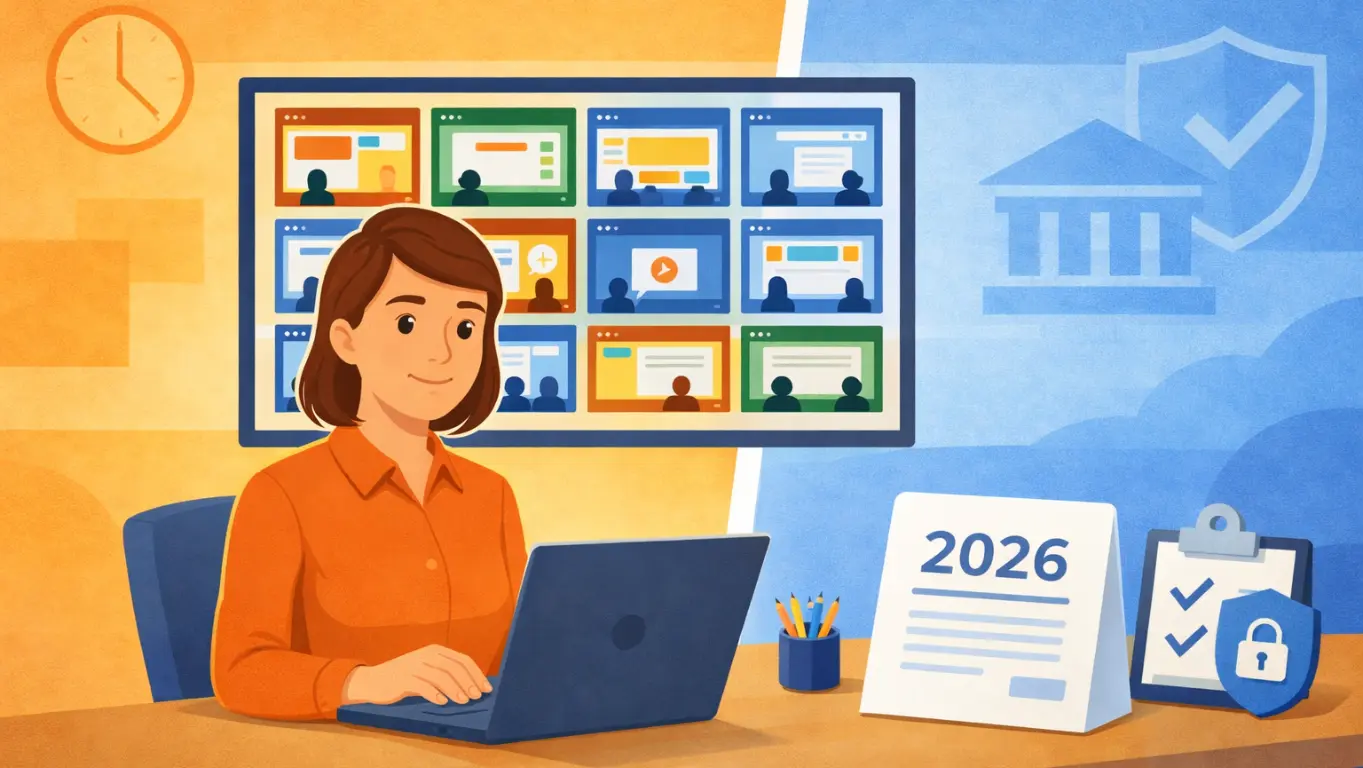
Regulating screen time in schools has gone from a talking point to a policy priority — fast. New laws are landing, parents are pushing back, and districts need real answers. Devices are everywhere in classrooms now, and that’s opened up real opportunities for learning and differentiation. But it’s also made it harder to keep students on task, and legislators are starting to respond. This guide breaks down what’s changing in 2026, what it means for your classrooms, and what you can actually do about it.
Why Screen Time Regulation Matters in 2026
The shift to 1:1 devices didn’t happen slowly — it happened fast. Today, 9 in 10 public schools provide a device to every student. That level of access is now standard, and it’s not something most districts can walk back from. But with this increased device use comes growing concern.
Research led by University of Pennsylvania professor Angela Duckworth found that teachers estimate 1 in 3 students use laptops during class for non-academic purposes. Unlike phones, laptops are harder to catch — students can look perfectly engaged while shopping online or scrolling through social media. This shift from purposeful to default screen use is exactly what legislators are trying to address.
What began as parent complaints at school board meetings has turned into active legislation across multiple states. At least five states — Kansas, Missouri, Tennessee, Virginia, and West Virginia — are advancing bills to limit or outright ban district-issued devices in early grades, and Utah has signed SB 88 into law, requiring content filtering and a parent-accessible monitoring system for all school-managed devices, effective July 1, 2026.
For tech admins and school leaders, it’s clear: regulating student screen time is no longer a “wait and see” situation — it’s quickly becoming one of the most important focus areas for districts across the country.
What Are States Actually Requiring?
Most legislation isn’t about banning devices — it’s about managing their use intentionally. Here’s what’s being proposed or enacted:
- Screen time caps by grade level — limiting daily device use, particularly in lower grades
- Content filtering mandates — requiring districts to restrict access to obscene or inappropriate material
- Parent monitoring systems — giving parents visibility into their child’s device activity on school-managed devices
Utah’s SB 88 is a prime example of this trend. It doesn’t ban devices but requires districts to have the right systems in place to control and monitor how devices are used. In addition, Vermont H.830 has proposed allowing parents to opt-out of electronic device usage for their children, highlighting the growing trend of parental control over school technology use. Other states may consider similar approaches as screen time regulation continues to evolve.
What Does This Mean for Your District?
As screen time regulations tighten, districts will need to demonstrate that student device use is purposeful, monitored, and aligned with district guidelines. This applies whether to meet state mandates, address school board concerns, or respond to parent feedback. It’s clear that managing screen time effectively is now a core requirement for districts, regardless of their size or funding.
Does This Affect Teachers Too?
Yes — managing student screen time now comes with the job. Teachers are expected to keep students on task, make sure only appropriate content is being accessed, and know what’s happening on every device. However, most teachers don’t have the tools they need to manage these responsibilities efficiently without interrupting their lessons.
The most effective solutions provide real-time visibility into student screens, allowing teachers to act on what they see without disrupting the flow of teaching. This could include blocking distracting sites, redirecting students, or locking devices into focused modes — all from a single, easy-to-use platform.
Solutions like Blocksi combine screen monitoring and content filtering in a way that saves teachers time and gives them the control they need without adding extra tasks to their workload. That means teachers spend less time managing tools and more time teaching, while districts get a clear record of responsible device use.
As one principal from Arizona put it: “From the first day we integrated Blocksi into our classrooms, it’s been a game-changer. I’ve witnessed firsthand the evolution and impact of Blocksi in revealing students off task, students in crisis, and numerous other technology elements that were impossible before Blocksi.”
How Can Schools Manage Student Screen Time Effectively?
Managing student screen time isn’t about restriction. It’s about having the right controls in place so that when a device is being used, it’s being used for the right thing. Here’s what that looks like in practice:
- Start with a clear filtering policy: Every district should have a baseline content filtering policy to block inappropriate material on school-managed devices. Basic content filtering isn’t new — most districts already have it in place for CIPA compliance. What’s new is the layer of state-level requirements being added on top of it, like Utah’s SB 88.
- Give teachers real-time monitoring tools: Admin-level filtering is essential, but teachers need the tools to confidently manage what students can and cannot do during class. This includes the ability to monitor every student’s screen in real time, zoom in when something looks off, and block or allow specific content on the fly — whether at the individual student level or across the entire class.
- Make it visible to parents: Parents are asking harder questions about what their kids are doing on school devices. Having the right systems in place means you can answer them with confidence.
- Document and report: Boards, parents, and now legislators want evidence that screen time is being managed responsibly. Having exportable activity reports — by student, by class, by content category — makes that conversation much easier.
- Build it into the school day structure: The less teachers have to manually enforce, the better. Pre-set controls and automated scheduling handle the routine stuff, so teachers can focus on what actually needs their attention.
What Tools Are Schools Using for Student Screen Monitoring?
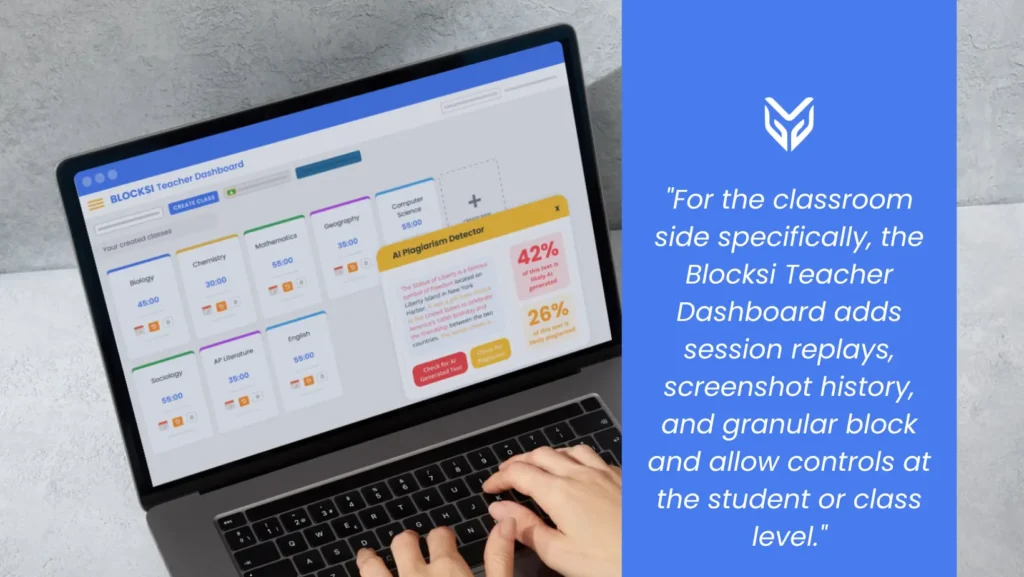
Blocksi brings everything districts need to manage student screen time into one platform — content filtering, student safety, real-time screen monitoring, teacher-level controls, and activity reporting. Teachers get a single dashboard instead of a stack of tools, and districts get a clear, exportable record of how devices are being used. For the classroom side specifically, the Blocksi Teacher Dashboard adds session replays, screenshot history, and granular block and allow controls at the student or class level — covering both network-level and device-level monitoring without any additional setup.
Is a Full Device Ban Coming?
Probably not universally — and the honest answer is that no one knows exactly where legislation lands from here. What districts can control is how prepared they are. The same tools that help you demonstrate responsible screen time use to a school board or a parent are the ones that make classrooms run better every day. That’s the case for a consolidated platform regardless of what any state legislature decides next.
Key Takeaways
- At least five states are advancing bills to limit or restrict device use, and more are watching closely — screen time in schools is a live policy issue in 2026
- Most legislation isn’t banning devices — it’s requiring filtering, monitoring, and accountability for how they’re used
- Teachers need real-time classroom management tools, not just admin-level filtering
- Having the right systems in place means you can answer hard questions from parents, boards, and legislators with confidence
- The right EdTech tools turn compliance from a burden into a built-in part of how school days run
FAQ
What is student screen time management in schools? Student screen time management refers to the tools, policies, and practices schools use to monitor, limit, and guide how students use devices during the school day. This includes content filtering, real-time screen monitoring, teacher controls, and activity reporting.
How can teachers manage student screen time in the classroom? Teachers need more than admin-level filtering. The most effective tools give them real-time visibility into every student device, the ability to block or allow specific content on the fly, and activity reports they can review after class — all from a single dashboard.
What is the best classroom management software for screen time? The best tools give teachers real-time screen monitoring, content filtering, and block and allow controls from a single dashboard — without adding to their workload. Platforms like Blocksi combine those features with activity reporting and automated scheduling so that screen time management is built into the school day rather than handled reactively.
SOURCES
[1] Screen-Free Schools? Some Legislators Push for a New Normal
[2] More than Half of Public School Leaders Say Cell Phones Hurt Academic Performance
[3] School Screen Time Limits Spark National Debate Over EdTech in Classrooms
[4] S.B. 88 School Technology Amendments; 2026 GENERAL SESSION; STATE OF UTAH
[5] H.830
[6] Parents, States Push Back Against Screens in Class
More to Explore
Follow Our Social Media Channels


