


NEWS
New Integration: Blocksi Now Supports 1EdTech OneRoster
Palo Alto, CA, February 2, 2026 — We’re excited to announce that Blocksi now supports the 1EdTech OneRoster standard, enabling schools to connect Blocksi directly to their Student Information System (SIS). This new option sits alongside Blocksi’s existing integration pathways, giving districts more flexibility in how they sync roster data.
This SIS integration for schools helps districts securely and reliably share teacher, student, parent and class roster data with Blocksi using a widely adopted K–12 data standard.
This new option complements Blocksi’s existing integrations with platforms such as Clever and ClassLink, while also giving districts the ability to connect directly to their SIS through the 1EdTech OneRoster standard.
For districts that prefer a more direct rostering pathway, OneRoster can serve as an alternative approach, enabling tighter alignment with Blocksi features and reducing reliance on intermediary systems — while still supporting single sign-on through providers like Google, Microsoft, Canvas, and Brightspace.
What This Means for Schools
With OneRoster, schools can:
- Import teachers directly from their SIS
- Bring in classes and enrolled students
- Keep Blocksi aligned with official district records
- Reduce manual user and class setup through roster data automation
Instead of managing roster data across multiple systems, administrators can use standardized SIS data to quickly and accurately configure Blocksi.
How It Works in Blocksi
For Administrators
Admins can securely configure their OneRoster connection in the Blocksi Admin Dashboard:
- For importing teachers: Blocksi Admin Dashboard under Dashboard Settings -> Teacher Dashboard -> OneRoster SIS Connection Settings
- For importing parent-student pairs: Blocksi Admin Dashboard under Dashboard Settings -> Parent Dashboard -> Import Parent Accounts from the SIS (OneRoster).
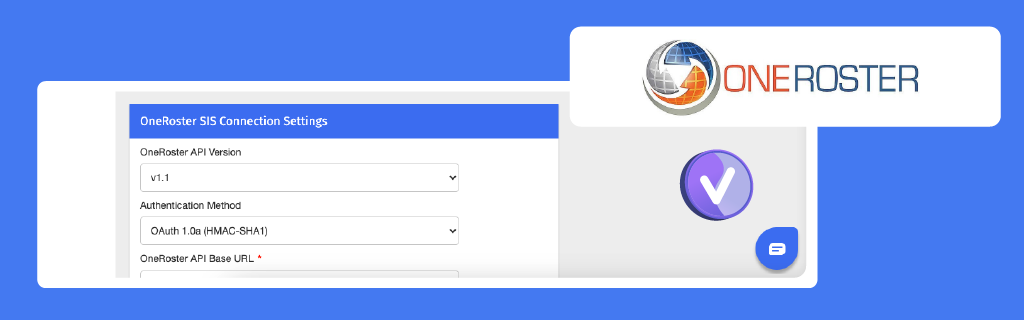
Using these allows admins to import teachers and parents directly from the district SIS.
For Teachers
After the admin import, teachers can use the “Import from SIS” option on their dashboards to bring their classes into Blocksi, along with the correct students.
Why OneRoster Matters
1EdTech’s OneRoster is a trusted interoperability standard used across K–12 education to exchange:
- Users (teachers and students)
- Classes and courses
- Enrollments
By supporting OneRoster, Blocksi becomes an even more seamless part of a district’s digital ecosystem, helping ensure accurate data and smoother onboarding.
A Simpler Path to Setup and Sync
Schools can maintain ongoing alignment between SIS data and Blocksi throughout the school year, helping ensure roster and account information stay current as district records change.
As Blocksi continues expanding interoperability, integrations like OneRoster help schools reduce setup time, improve data consistency, and focus more on teaching and learning.
Catch Up on What Else Is New

Follow Our Social Media Channels


