


NEWS
What’s New at Blocksi: Smarter Proxy Detection, Access Request Controls, and More
Palo Alto, CA, November 25, 2026 — Our latest round of updates to Blocksi brings five improvements to the school web filter, the Teacher Dashboard and Student Safety. They include stronger protection against proxy sites, more control over who handles website access requests, Check URL in the Teacher Dashboard, faster YouTube keyword filter setup, and a way to make sure alerts raised on holidays still get reviewed. Here’s a look at what’s new.
Smart Proxy Detection now catches more proxy sites
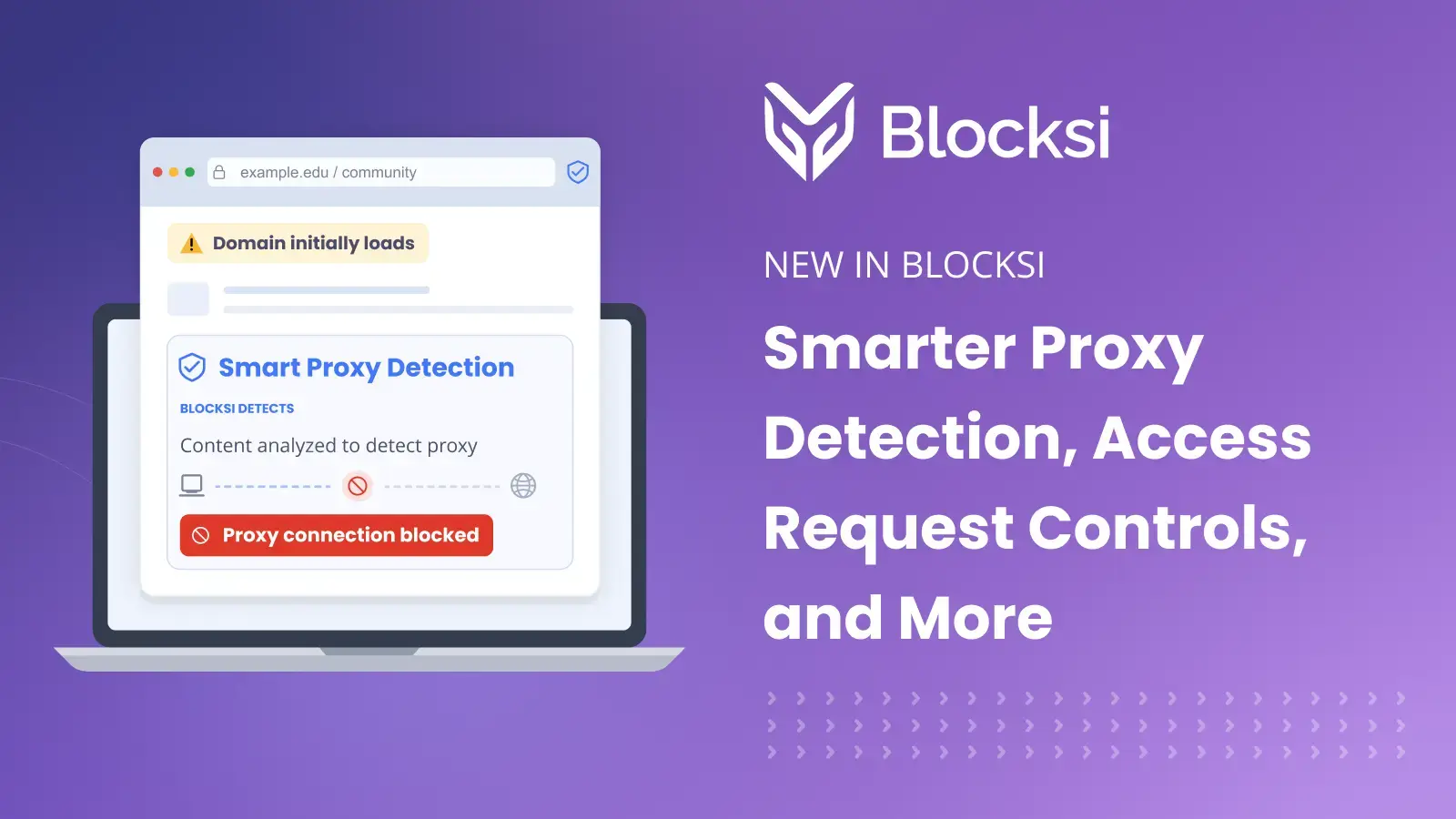
Proxy sites are one of the most common ways students bypass a school web filter, and new ones appear every day. Smart Proxy Detection already blocks sites that act like proxies, even before they’re categorized. This update extends it to a broader range of proxy services, including sites built on newer proxy frameworks, proxy sites disguised as learning platforms, and proxies hidden in embedded frames on innocent-looking pages. When the AI Context Filter confirms a page is a proxy, Blocksi blocks it right away.
We’ve also improved how the AI Context Filter handles pages that change after they load. Some proxy sites show harmless content at first and switch to a proxy or game a little later, after the first check has already passed. Blocksi now re-checks pages after the initial load, so a page that changes its content gets re-categorized and filtered without an admin having to report it.
Choose who receives website access requests
When a student reaches a blocked site, they can send a website access request to whoever is responsible for that block: the teacher of their active class, admins and delegates when the student is in school, or a parent when the student is out of school. Admins can now decide which of these roles receive access requests, with separate settings for teachers, delegates and parents in the Access Requests section of the Admin Dashboard.
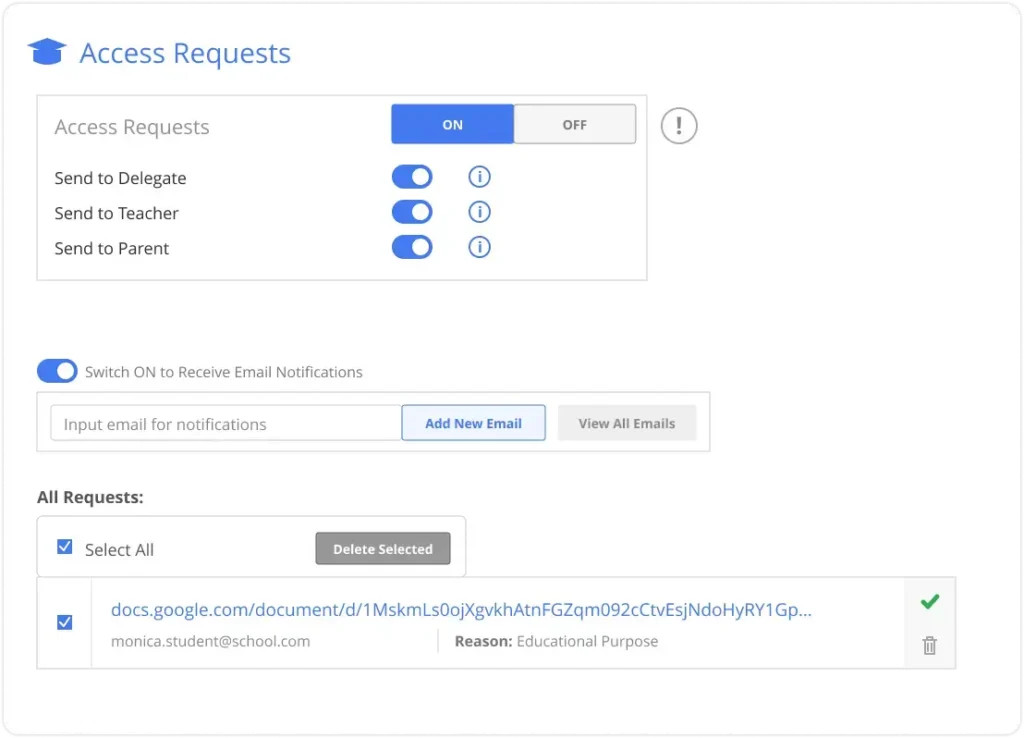
When a role is turned off, it receives no access requests, and students don’t see the option to send a request that would have gone to that role. Turning off delegates doesn’t affect admins, who still receive in-school requests. All three settings are on by default, so nothing changes for a district until an admin adjusts them.
Check a site’s category or policy status from the Teacher Dashboard
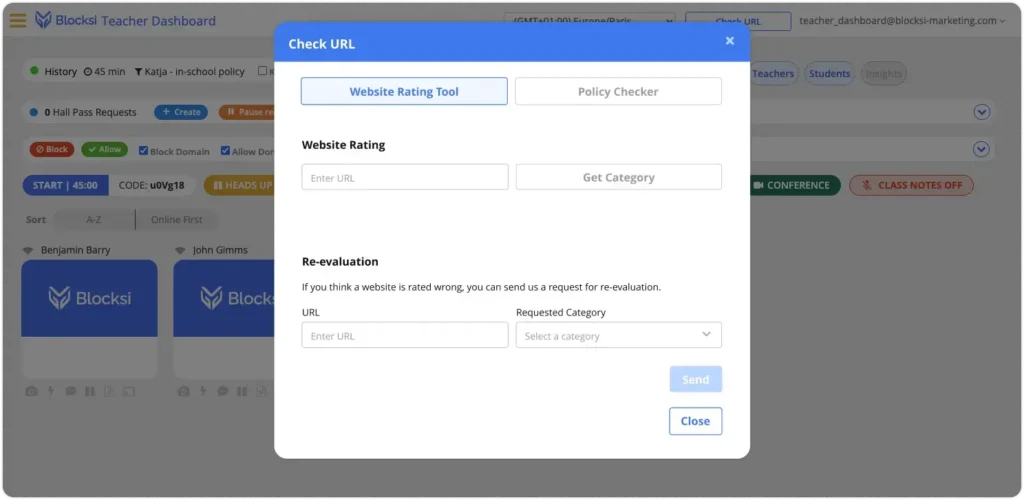
Checking a website in the Teacher Dashboard now happens in one place. The Website Rating Tool button is now called Check URL and brings together two tabs: the Website Rating Tool and the Policy Checker, which guides teachers step by step through checking whether a website is allowed or blocked by a policy.
Faster setup for the YouTube keyword filter
Admins can now import keyword lists into the YouTube Keyword Filter and add keywords from the word bank, the same way they already can in the standard Keyword Filter. Instead of adding YouTube keywords one at a time, admins can bring in a full list at once or pick from ready-made word bank lists. This makes YouTube filtering faster to set up and keeps it consistent with the rest of a district’s keyword rules.
Student Safety: recap alerts from holidays and breaks
Alert Schedule Exceptions cover days when the usual alert schedule doesn’t apply, like holidays and school breaks. Until now, alerts generated during an exception could either be sent right away or not sent at all. Admins can now include these alerts in a Safety Alert Recap to escalated recipients, the same way recaps already work for the After Hours Alert Schedule. This way, Student Safety alerts raised on non-standard school days still reach the right people for review.
These updates are part of our ongoing effort to ship improvements that matter in practice, across every role that relies on Blocksi to keep schools running smoothly.
Want to see what Blocksi can do for your school or district? Visit our website to learn more or request a demo.
Already a Blocksi user? Join the conversation on our Community Forum to stay up to date with the latest news and connect with other schools.
Catch Up on What Else Is New

Follow Our Social Media Channels


