


AI CHATBOT. Blocksi’s Bix: An AI Chatbot Built for School
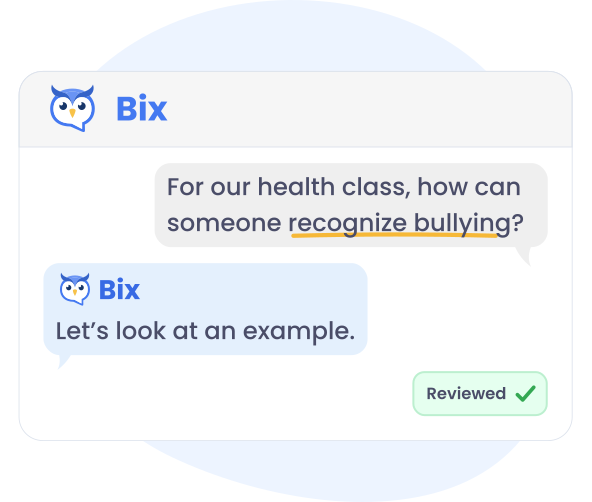
General-purpose AI chatbots weren’t built for K-12 classrooms, so we built one that is. Bix is Blocksi’s AI chatbot for schoolwork, built to encourage curiosity and critical thinking. It works within the guardrails your district sets, and if a conversation is flagged, admins can see the whole exchange exactly as the student saw it.
Always-On Core Safety
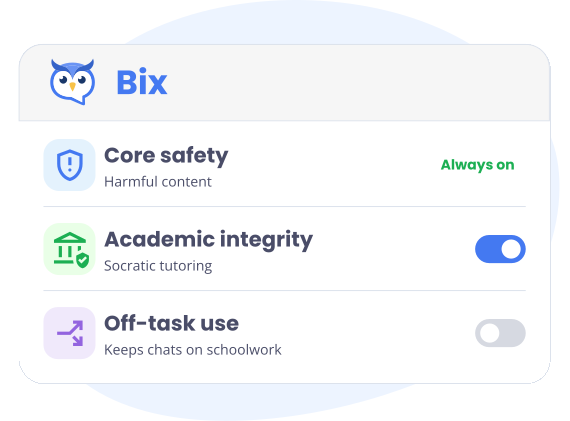
Core safety protection stays on for harmful content and sensitive situations such as violence, self-harm, bullying and mental health concerns. It’s on from the start, so Bix is ready to use without any guardrail setup.
Guardrails Your District Sets
Admins can add their own limits in four areas: sensitive and controversial topics like politics or religion, regulated advice like medical or legal questions, academic integrity, and off-task use like gaming or role-play.
Academic Integrity Guardrails
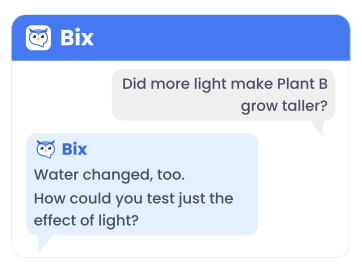
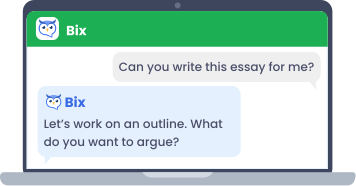
Admins can block homework completion, so Bix tutors the Socratic way: it guides students with questions instead of handing over answers.
Safety Alerts in Class
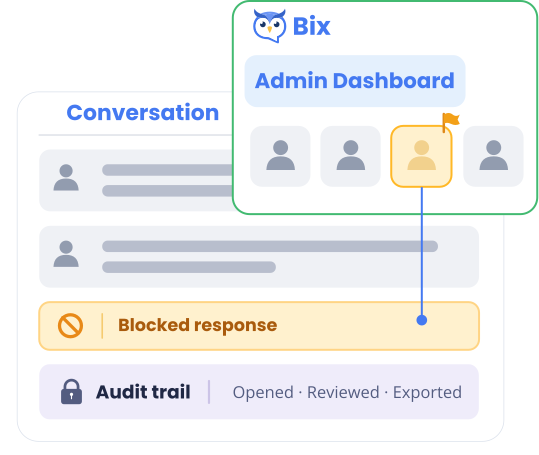
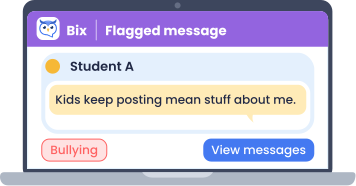
When a chat is flagged, a warning appears on the student’s tile in the Teacher Dashboard. Teachers see a short summary with category tags and can open the flagged messages.
Full Transcripts for Flagged Conversations
Admins and counselors can open a flagged conversation and see what the student saw: the full answer, a blocked response or a retracted one.
Audit Trail
Admins see a log of every time staff open, review or export a student’s chat. Entries can’t be edited or deleted.
How Bix Works for Students, Teachers and Admins
Admins and counselors
- Customizable guardrails for your district
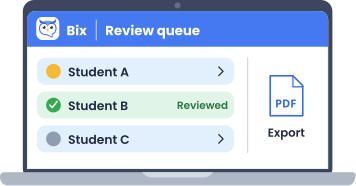
- Review Bix analytics and messages for each student in Student Monitoring
- Flagged conversations with full transcripts
- Review status and PDF export
- An Audit Trail of every open, review and export
Teachers
- Turn Bix on or off for the class
- Guardrails handled by district admins, so teachers can focus on class.
- Alerts on the student’s tile when a chat is flagged
- Alert summaries with category tags
- See the flagged messages behind each alert
Students
- Help with schoolwork across subjects
- Opens in a new tab from the Blocksi floating button
- Suggested prompts by subject
- Saved chats they can rename and pin
- A Socratic approach that guides them to answers instead of handing them over

FAQ
Bix is Blocksi’s safe AI chatbot for K-12 schoolwork. It works within guardrails your district sets, and if a conversation is flagged, school staff can see the whole exchange exactly as the student saw it.
Bix is built to encourage curiosity and critical thinking. With a Socratic approach, it guides students with questions instead of handing over answers, so they work through problems themselves across subjects.
K-12 districts and schools. Tech directors set it up, counselors and school admins review flagged conversations, and teachers get in-class safety alerts.
Students get help with schoolwork inside guardrails built for school. Core safety protection is always on for harmful content and sensitive situations such as violence, self-harm, bullying and mental health concerns, from their very first conversation, with no guardrail setup needed. Districts can add their own limits on top. If a student says something that raises concern, the conversation is flagged, so their teacher is alerted in class and the staff who support them can see what happened and follow up.
With academic integrity guardrails on, Bix blocks homework completion and guides students with questions instead of handing over answers.
Teachers see an alert on the student’s tile during class. Counselors and admins can open the full conversation, mark it reviewed and export it as a PDF.
No, the district sets them. Admins also choose whether students can use Bix in class, out of class (for example on homework at home), or both, and teachers can turn it on or off for their class.
Any device where the Blocksi extension is active.
Bix runs within the Blocksi platform and follows Blocksi’s data handling practices. Student conversations in Bix aren’t used to train AI models, and students’ names and other personal details aren’t sent to the AI model. Conversations stay available for review for 30 days, then move to cold storage. Only staff with access to a student can see their chats, and every time a chat is opened, reviewed or exported, it’s logged.