


NEWS
The Blocksi Penalty Box: More Than Just a Digital Timeout
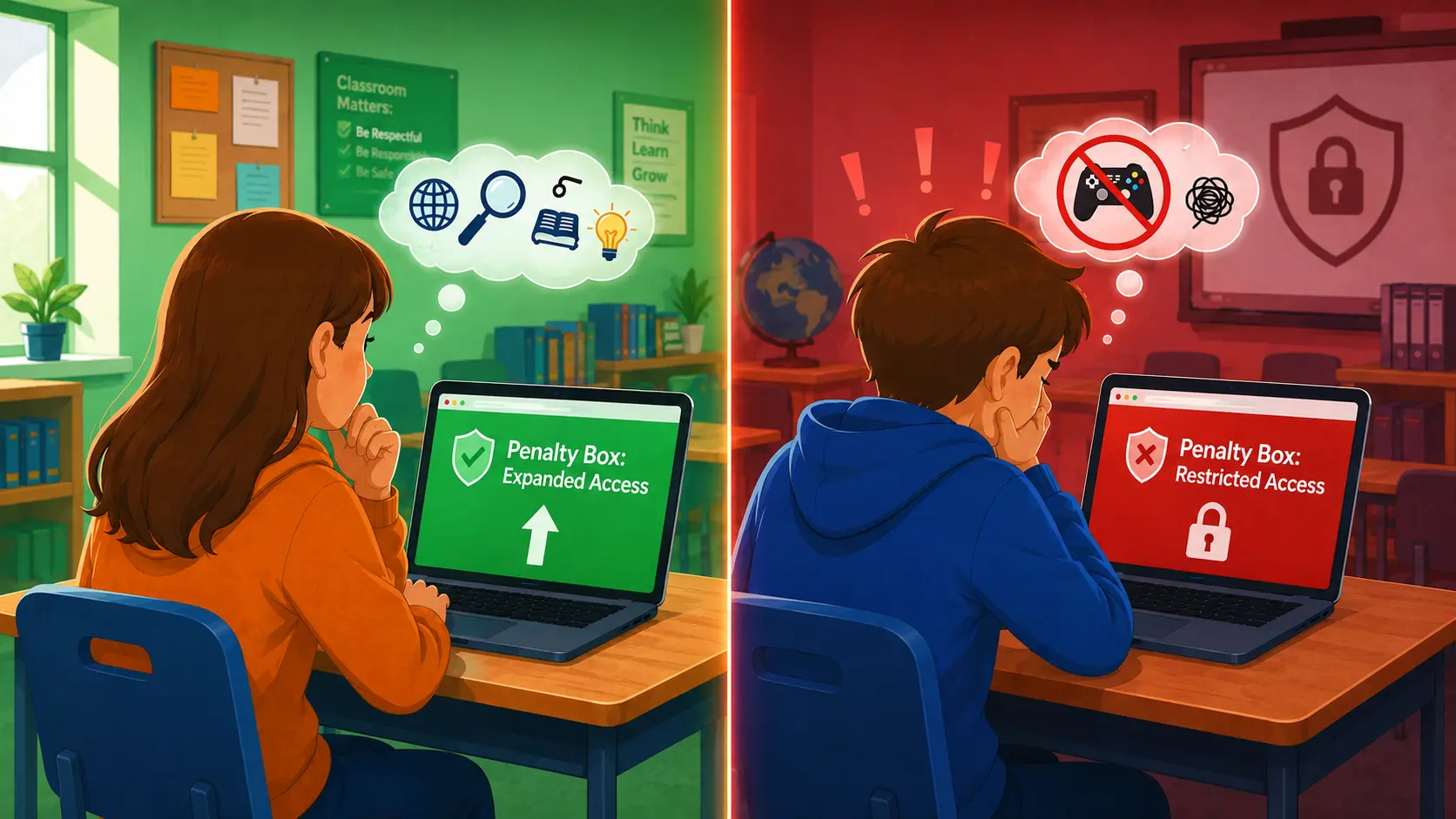
Borrowed from the ice rink, “penalty box” sounds like it’s all about restriction. A digital timeout for a student who wasn’t supposed to be on YouTube during a lesson. And yes, the Blocksi Penalty Box can do that. But that’s only a fraction of what it actually is.
Blocksi is an all-in-one K-12 content filtering and classroom management platform trusted by school districts worldwide. Our Penalty Box feature is one of those tools that sounds simple on the surface but turns out to be surprisingly versatile when you dig into what it can actually do. This isn’t a blanket solution. It’s a precise, flexible tool that works just as well for supporting students as it does for managing them.
What Is the Penalty Box (and What It’s Not)?
At its core, the Penalty Box lets admins assign an individual student or a group their own custom internet access policy — separate from whatever policy applies to the rest of their organizational unit (OU). The moment a student is placed in the Penalty Box, their new policy takes precedence over the default OU policy. When they’re removed, everything reverts automatically. It’s student- or group-specific, immediate, and reversible. No reconfiguring group policies, no side effects for other students.
Admins can set distinct policies for two contexts:
- what the student can access while in school, and
- what they can access outside school hours.
This matters because a consequence during school hours doesn’t necessarily need to follow a student home and Blocksi gives you the control to make that distinction.
There’s also a built-in timer. Admins can set an exact release time, after which the student automatically exits the Penalty Box and returns to their standard policy, no manual follow-up required. It removes the friction from enforcement and ensures consequences don’t accidentally run longer than intended.
Restriction or Support? The Penalty Box Does Both
Here’s where Blocksi’s approach differs. While most competing tools are built around a single use case, the Penalty Box is designed to be flexible.
Most digital discipline tools are designed to do one thing: restrict. Blocksi’s Penalty Box works in both directions. Yes, you can use it to tighten a student’s internet access, but you can also use it to expand access by assigning a more permissive policy than the student would otherwise have.
Let’s take a look at four different real-world Blocksi Penalty Box use cases:
- A student who isn’t paying attention in class or is disrupting others gets locked down to a specific set of sites so they can refocus.
- A student on in-school suspension gets a policy tailored to that context — limited, structured, appropriate.
- A student with special needs gets an individualized policy that reflects their actual requirements, without affecting their classmates.
- A student working on a specific research project gets temporary access to sites that would normally be restricted.
Using the Penalty Box to give a student more access than usual, because their work or needs genuinely require it, is a form of differentiated instruction at the policy level. You’re not applying a one-size-fits-all rule; you’re responding to what an individual student actually needs at a given moment.
This is where Blocksi separates itself from tools that treat student internet management as purely disciplinary. The Blocksi Penalty Box is a flexible tool, not a uniform response to every situation.
Is the Penalty Box Flexible Enough for Your School’s Needs?
The Penalty Box is designed around how schools actually operate, not how software vendors wish they did.
The separate in-school and out-of-school policy options aren’t just a nice detail. They reflect the reality that student needs and appropriate boundaries vary depending on context. An admin can tighten access during school hours while leaving the out-of-school policy unchanged, or adjust both independently.
And while the Penalty Box can be applied to individual students, it works at the group level too. Admins can organize students into groups and apply policies across all of them at once which is useful when a situation involves more than one student or when a consistent policy needs to apply to a specific set of students.
Policy locking adds another layer of practical control. Admins can lock a student’s Penalty Box policy so that delegates can’t override or modify it. The decision made at the admin level stays in place. Importantly, this doesn’t interfere with teacher-level classroom management: teachers can still apply classroom policies for students in the Penalty Box even when the admin policy is locked. The system respects both levels of authority without creating conflicts. For more on the tools that help teachers stay in control at the classroom level, see our post: This Is How Monitoring Students’ Screens Empowers Teachers.
From a hierarchy standpoint, the Penalty Box policy sits above the default OU policy while active. When the student is released (either manually or when the timer expires) the system returns to the OU policy automatically. There’s no cleanup step, no risk of a student staying on the wrong policy past the point it was meant to apply.
The overall experience is designed to be fast. Adding a student takes a few clicks: search, assign in-school and out-of-school policies, confirm. Managing an active Penalty Box entry (changing policies, setting a timer, locking a policy, removing a student) is all handled from a single screen.
Key Takeaways
The Blocksi Penalty Box isn’t a punishment button. Here’s what it actually is:
- A per-student and per-group policy override. It applies only to the individual or group, leaves everyone else untouched, and reverts automatically when no longer needed.
- A two-directional tool. It can restrict access or expand it — whatever the student’s situation calls for.
- A practical admin feature. The timer, policy locking, and separate in/out-of-school settings make it usable in the real world, not just in theory.
- A differentiation tool. It lets admins respond to individual student needs, whether that’s a consequence, an accommodation, or targeted access for a specific task.
Blocksi built the Penalty Box to meet students where they are, not to apply the same response to every situation. That’s what makes it different.
See how Blocksi’s Penalty Box works for your students.
FAQ
Can the Penalty Box be used to give students more access, not just less?
Yes. Admins can assign any policy to a student in the Penalty Box, including a more permissive one than the standard OU policy. This makes it useful for students who need access to additional resources for research or who have special needs requiring a customized setup.
Does the Penalty Box affect all students in a class or group?
Not unless you want it to. The Penalty Box can be applied to individual students or to entire groups, depending on what the situation calls for. Either way, only the students explicitly added are affected. Classmates outside the selection remain on their standard organizational unit policy.
What happens when the Penalty Box timer expires?
If a timer is set, the student is automatically released from the Penalty Box once it expires and their policy reverts to the default OU policy. No manual action needed. That said, setting a timer isn’t a requirement. A student can remain in the Penalty Box indefinitely until an admin or delegate manually removes them.
Can teachers override a locked Penalty Box policy?
No — but they’re not blocked from doing their job either. When an admin locks a student’s Penalty Box policy, delegates cannot change it. However, teachers can still apply classroom-level policies for that student, so the lock doesn’t interfere with day-to-day classroom management.
You Might Also Find Helpful





Follow Our Social Media Channels


